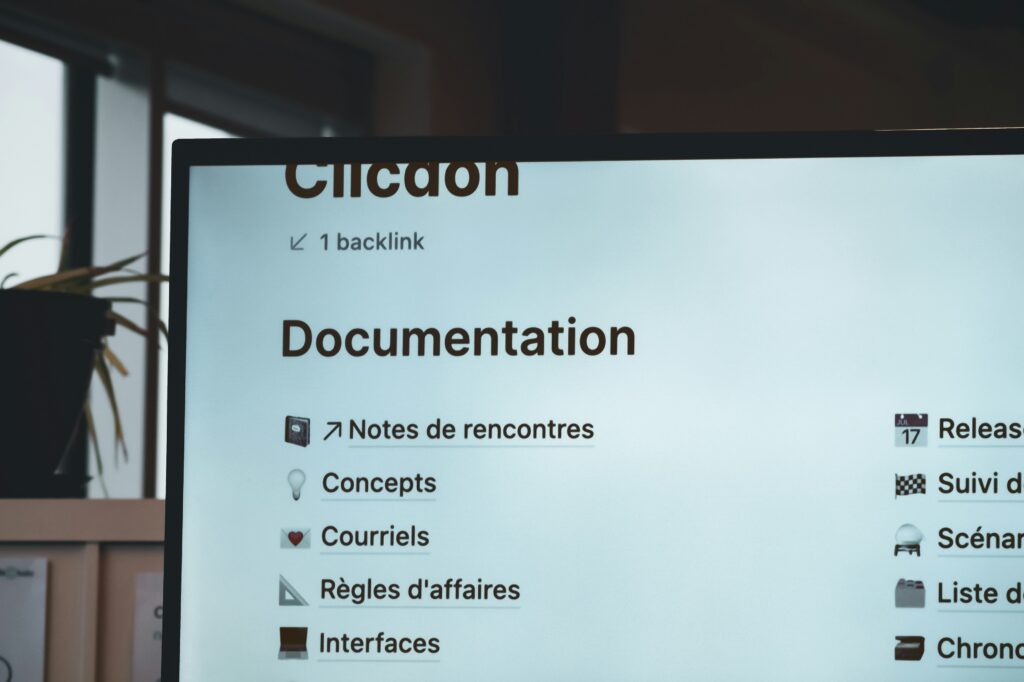


Outsourcing vs In-house Development: What Works Better for Long-Term Growth?

When a company decides to build software, a website, or a digital system, one of the first big questions is not about technology itself, but about people: Should we build an in-house development team, or should we outsource the work to an external partner?

This question is especially important for companies that are thinking long term, because the decision does not only affect cost, but also speed, quality, flexibility, and how the company grows over time. There is no single “right” answer for everyone, but understanding the differences clearly can help businesses make a smarter and more realistic choice.

What does in-house development mean?

In-house development means that the company hires its own developers, designers, testers, and technical managers as full-time employees, and this team works only on internal projects for the company.

From the outside, this often sounds like the ideal situation, because the team is fully dedicated, deeply understands the business, and can be closely aligned with the company’s culture, goals, and long-term vision. Over time, an in-house team can accumulate valuable internal knowledge that no external vendor can easily replace.

However, in reality, building and maintaining an in-house development team is not just about hiring one or two engineers. It usually requires long recruitment cycles, competitive salaries, training costs, management effort, and ongoing expenses even during periods when the workload is low. For non-tech companies, this can also mean managing people whose work is difficult to evaluate without technical background, which can create stress and uncertainty for leadership.

What does outsourcing mean?

Outsourcing means working with an external company or team that specializes in software development and provides services on a project basis, a monthly basis, or a long-term contract.

Instead of hiring developers directly, the company pays for outcomes, deliverables, or agreed working hours, while the outsourcing partner takes responsibility for recruitment, training, technical quality, and team management. This model allows companies to access experienced talent quickly, without the long-term commitment of building a full internal team.

For many businesses, especially those whose core strength is not technology, outsourcing feels lighter and more flexible. If priorities change, the scope can be adjusted more easily, and the company does not carry the same level of long-term people costs. That said, outsourcing requires trust, clear communication, and a good partner, because the team is not physically inside the organization.

Let’s compare from a long-term growth perspective:
1. Cost is not just about salary

At first glance, in-house development may look cheaper because companies only see the monthly salary of an employee. However, when recruitment time, failed hires, training, benefits, management overhead, and employee turnover are included, the real cost becomes much higher than expected.

Outsourcing, on the other hand, often looks more expensive per month, but the cost is usually more predictable, easier to control, and tied directly to output. For long-term growth, predictability and transparency often matter more than headline cost alone.

2. Speed and scalability matter more than many people expect

In fast-changing markets, companies often need to scale up or slow down quickly. An in-house team is difficult to resize without creating internal disruption, emotional stress, or legal complexity.

Outsourcing allows companies to move faster, whether that means starting a project quickly, adding more resources during a critical phase, or pausing when business priorities shift. Over the long term, this flexibility can protect the company from over-committing too early.

3. Focus on core business is a hidden advantage

For non-tech companies, technology is often a tool, not the main product. Managing an in-house development team requires time, attention, and decision-making energy that could otherwise be spent on sales, operations, customer experience, or strategy.

Outsourcing allows leadership to stay focused on what truly differentiates the business, while specialists handle the technical execution. Over many years, this focus can be a key factor in sustainable growth.

4. Knowledge retention is often overestimated

One common argument for in-house teams is that “we need to keep knowledge inside the company.” While this is true in theory, in practice, knowledge often leaves when employees resign, especially in competitive tech markets.

A good outsourcing partner mitigates this risk through documentation, standardized processes, team continuity, and shared responsibility, so knowledge is not tied to one individual. Over the long term, process maturity often matters more than where the people sit.

So which model is better for long-term growth?

In reality, long-term growth is rarely supported by a pure in-house or pure outsourcing model. Many successful companies choose a hybrid approach, where a small internal team owns business direction, product vision, and decision-making, while outsourcing partners handle execution, scaling, and specialized skills.

For early-stage companies and non-tech organizations, outsourcing often provides a safer and more flexible foundation. As the company matures and its technology becomes core to its competitive advantage, selective in-house hiring can then be added gradually and intentionally.

Our final thoughts

The real question is not whether outsourcing or in-house development is “better,” but whether the chosen model supports the company’s stage, strategy, and long-term goals.

Long-term growth depends less on where developers are employed, and more on clarity of vision, quality of collaboration, and the ability to adapt as the business evolves. Companies that understand this tend to make calmer decisions, avoid unnecessary risk, and build technology that truly serves their growth, rather than becoming a burden over time.

Why Traditional Companies Struggle with Digital Transformation?

Digital transformation is everywhere. It is in boardroom discussions, strategy decks, and company roadmaps. Yet for many traditional companies, digital transformation feels confusing, expensive, and slow. Projects start with high expectations but end with low adoption and unclear results.

Why does this keep happening?

The problem is not technology. The real issue is how companies approach digital transformation.

Let’s look at the real reasons, and how forward-thinking companies are fixing them.

———————————–

Digital transformation is not just about technology. Many traditional companies believe digital transformation means:

  • Buying new software
  • Migrating to the cloud
  • Building apps or dashboards

Technology is important, but it is only a tool. Digital transformation is really about:

  • How people work
  • How decisions are made
  • How customers are served

When companies miss this point, even the best tools fail.

1. Legacy systems slow everything down

Traditional companies often rely on systems built many years ago. These systems still “work,” but they are not built for today’s speed and flexibility.

Common challenges:

  • Systems cannot talk to each other
  • Data is duplicated and inconsistent
  • Any small change takes months

This creates frustration for both employees and customers. How leading companies fix this:

  • They modernize gradually, not all at once
  • They connect old systems with new platforms using APIs
  • They focus on flexibility, not perfection

Small technical improvements can unlock big business value.

2. Too much focus on tools, too little on business value

A common mistake is starting with technology instead of business needs.

Companies ask: “Which system should we buy?”, instead of: “What problem are we trying to solve?”

This leads to:

  • Low system usage
  • Poor ROI
  • Teams going back to old habits

How successful companies approach it:

  • They start with clear business goals
  • They identify pain points in daily operations
  • They measure success by outcomes, not features

Technology becomes an enabler, not the goal.

3. People resist change (and that’s normal)

Digital transformation fails when people feel left behind. Employees may think:

  • “This will make my job harder”
  • “I don’t have time to learn this”
  • “What if I make mistakes?”

Without trust and support, resistance grows silently. How strong companies manage change:

  • They explain the “why” clearly and early
  • They provide simple, practical training
  • They involve employees in the design process

When people feel included, adoption follows naturally.

4. Digital skills gaps inside the organization

Many traditional companies have deep industry knowledge, but limited digital experience. This creates problems such as:

  • Over-dependence on vendors
  • Slow decision-making
  • Miscommunication between business and IT

How companies close the gap:

  • They upskill existing teams step by step
  • They build cross-functional teams
  • They partner with experts who understand both business and technology

Digital maturity grows through learning, not shortcuts.

5. Leadership is not fully driving the change

Digital transformation cannot succeed as an IT initiative alone. When leadership is not actively involved:

  • Priorities become unclear
  • Teams lose direction
  • Projects stall

What strong leadership looks like:

  • Leaders set a clear digital vision
  • They actively sponsor key initiatives
  • They accept experimentation and learning

Transformation accelerates when leaders lead by example.

6. Unrealistic expectations kill momentum

Many companies expect quick results:

  • Immediate cost savings
  • Instant productivity gains
  • Fast cultural change

But real transformation takes time. Winning companies do this instead:

  • They define short-term and long-term goals
  • They celebrate small wins
  • They continuously improve

Progress matters more than speed.

Digital Transformation Is a journey, not a one-time project

Traditional companies struggle with digital transformation because:

  • Their systems were built for stability, not speed
  • Their culture values certainty over experimentation
  • Their processes were designed for another era

But this does not mean they cannot succeed. The most successful transformations:

  • Start small
  • Stay focused on business value
  • Put people at the center
  • Grow step by step

Our final message:

Digital transformation does not require a complete restart. It requires clear thinking, strong leadership, and the right partners. Companies that approach transformation with patience and purpose don’t just survive, they build stronger foundations for long-term growth.

That is the real power of digital transformation.

A Beginner’s Guide to Electronic Medical Record Systems

Electronic Medical Record

The healthcare industry has been undergoing a digital transformation, and at the heart of this are Electronic Medical Record (EMR) systems. These systems have revolutionized the way healthcare providers manage patient information, helping improve accuracy, efficiency in patient care. If you’re new to the concept of EMRs, this guide will help you understand what they are, their benefits, and how to choose the right system for your practice.

Electronic Medical Record

What Is an Electronic Medical Record System?​

The best way to describe the Electronic Medical Record (EMR) system is that it’s a digital version of the paper charts in a clinician’s office. It contains the medical and treatment history of patients in a particular practice and can be used to track data over time, identify patients for preventive visits and screenings, monitor patients, and improve the quality of care.

Key Features of EMR Systems​

  1. Patient Information Management: Stores comprehensive patient data, including medical history, medications, allergies, and test results.

  2. Appointment Scheduling: Manages patient appointments, sends reminders, and reduces no-show rates.

  3. Clinical Documentation: Allows healthcare providers to document patient encounters efficiently.

  4. Order Entry and Result Management: Facilitates the electronic ordering of tests and procedures and tracks the results.

  5. Billing and Coding: Integrates with billing systems to streamline the coding and billing process.

  6. Reporting and Analytics: Provides tools for generating reports and analyzing patient data to improve care quality.

Benefits of EMR Systems​

1. Improved Patient Care

EMR systems enhance the quality of patient care by providing accurate, up-to-date, and comprehensive information about patients up to the point of care. This ensures that healthcare providers are able to make well-informed treatment decisions.

2. Enhanced Efficiency and Productivity

By automating many of the routine tasks associated with patient care, EMR systems reduce the administrative burden on healthcare providers. This allows them to spend more time with patients and less time on paperwork.

3. Better Coordination of Care

EMR systems facilitate better coordination among different healthcare providers. This is particularly important for patients who see multiple specialists, as all providers can access the same patient information.

4. Increased Patient Participation

Typically patient-oriented EMR systems include patient portals that allow them to access their health information, schedule appointments, and communicate with their healthcare providers. This promotes patient engagement and helps individuals take a more active role in managing their health.

5. Enhanced Data Security

EMR systems provide robust security measures to protect patient data from unauthorized access and breaches. This is essential for maintaining patient confidentiality and complying with healthcare regulations such as HIPAA.

Choosing the Right EMR System​

Selecting the right EMR system for your practice can make or break your digital medical experience. Here are some factors to consider:

1. Ease of Use

The EMR system should be intuitive and easy to navigate. A user-friendly interface is crucial for quick adoption by healthcare providers and staff, as well as patients themselves.

2. Customization Options

Choose an EMR system that can be customized to meet the specific needs of your practice. This includes the ability to tailor templates, workflows, and reporting features.

3. Integration Capabilities

Ensure that the EMR system can integrate seamlessly with other software systems you use, such as billing and practice management software. This will help streamline your operations and improve data consistency.

4. Scalability

The system should be scalable to grow with your practice. Whether you’re a solo practitioner or part of a large healthcare organization, the EMR system should be able to handle your needs as they evolve.

5. Compliance and Security

Verify that the EMR system complies with all relevant healthcare regulations, such as HIPAA. Additionally, ensure that it has strong security features to protect patient data.

6. Support and Training

Choose a vendor that offers robust support and training. This is essential for ensuring that your staff can effectively use the system and troubleshoot any issues that arise.

7. Cost

The usual dealbreaker. Take into account the total cost of ownership, including initial setup fees, ongoing subscription costs, and any additional fees for training or support. Compare different EMR systems to find one that fits your budget without compromising on essential features.

Popular EMR Systems​

Based on our experience, here are a few popular EMR systems that are widely recognized for their features and reliability:

1. Epic

Epic is known for its comprehensive features and scalability. It’s widely used by large healthcare organizations and offers robust tools for patient care, billing, and reporting.

2. Cerner

Cerner provides a range of solutions for different healthcare settings. It’s known for its strong focus on interoperability and data analytics.

3. Athenahealth

Athenahealth offers a cloud-based EMR system that is easy to use and integrates well with other healthcare systems. It’s a popular choice for small to mid-sized practices.

4. eClinicalWorks

eClinicalWorks provides a comprehensive EMR solution with a strong emphasis on patient engagement and population health management.

5. Allscripts

Allscripts offers a range of EMR solutions tailored to different types of healthcare providers. It’s known for its flexibility and integration capabilities.

Conclusion

Electronic Medical Record systems are transforming the healthcare industry by improving the quality of patient care, enhancing efficiency, and ensuring data security. By understanding the benefits of EMR systems and knowing what to look for when choosing one, you can make an informed decision that best suits your practice’s needs.

Cost Estimation: How Much Does It Cost to Hire a Software Development Agency?

Cost estimation of software development project

Hiring a software development agency for bespoke software projects can be a game-changer for businesses aiming to create innovative solutions, enhance customer experiences, or simply streamline operations. However, understanding the cost involved in custom software development is crucial for budgeting and planning. As a long-time player in the software development industry, we offer comprehensive insights into the factors that will affect your cost planning.

Cost estimation of software development project

Factors Influencing the Cost of Custom Software Development

1. Project Scope and Complexity

The centerpiece of it all. The complexity and scope of your project are primary determinants of cost. A simple application with basic functionalities will cost significantly less than a complex system with multiple integrations, advanced features, and high-security requirements. Factors influencing complexity include:

  • UI/UX Design: A user-friendly and aesthetically pleasing interface requires extensive research and design mastery, which translates to time and resources.

  • Feature Set: The more features you need, the higher the development cost.

  • Integration Requirements: Integrating with third-party services or existing systems can add to the complexity.

2. Development Team Composition

The composition of the development team also affects the cost. A typical team for custom software development includes:

  • Project Manager: Ensures the project stays on track, within budget, and meets client’s satisfaction.

  • Business Analyst: Helps in understanding and documenting the project requirements.

  • UI/UX Designer: Creates the visual design and user experience.

  • Developers: The builders for your application.

  • QA Engineers: Intensively and extensively test the software to ensure it is free of bugs and meets the requirements.

Each role is essential, and the expertise and experience of the team members can impact the overall cost.

3. Development Timeframe

The timeline for your project will directly influence costs. Aggressive deadlines may require concurrent processes and additional resources, potentially leading to higher expenses. It’s essential to have realistic expectations about the time required for each development phase, including planning, design, development, testing, and deployment.

4. Technology Stack

The choice of technology stack can also affect the cost. Different technologies have varying levels of complexity and associated costs. For example, developing a cross-platform application using React Native or Flutter might be more cost-effective than building separate native apps for iOS and Android.

5. Post-Launch Support and Maintenance

Many clients overlook (or even are not aware of) the need for ongoing support and maintenance when budgeting for custom software development. Post-launch support includes:

  • Bug Fixes: Addressing any issues that arise after launch.

  • Feature Enhancements: Adding new features or improving existing ones.

  • Performance Optimization: Ensuring the software runs efficiently as user demands grow.

  • Security Updates: Keeping the software secure against emerging threats.

Maintenance typically incurs an ongoing cost, which should be factored into your budget.

Typical Cost Breakdown

While costs can vary widely depending on the factors mentioned above, here is a rough estimate of what you might expect when hiring a software development agency:

  • Simple Application: $20,000 – $50,000

    • Basic features, minimal integrations, simple UI/UX.

  • Medium Complexity Application: $50,000 – $150,000

    • Moderate feature set, some integrations, more refined UI/UX.

  • Complex Application: $150,000 – $500,000+

    • Advanced features, multiple integrations, sophisticated UI/UX, high security, and compliance requirements.

Hidden Costs to Consider

Apart from the visible costs, there are several hidden costs you should be aware of:

  • Licensing Fees: Costs for software licenses or subscriptions required for development tools and frameworks.

  • Infrastructure Costs: Hosting, cloud storage, and server costs if the software requires robust infrastructure.

  • Training: Costs associated with training your staff to use the new software effectively.

  • Change Requests: Costs for any changes or additional features requested during the development process.

Conclusion

Understanding the cost of hiring a software development agency for bespoke software development is crucial for successful project planning and execution. By considering all the factors and potential hidden costs, you can make informed decisions and ensure your budget aligns with your project goals. At our software development agency, we are committed to providing transparent cost estimates and delivering high-quality custom software solutions tailored to your unique needs.

If you’re ready to discuss your project or need a detailed cost estimate, feel free to contact us. We’re here to help you turn your vision into reality with our expertise in custom software development.

How QA Engineers Collaborate with Developers to Ensure Quality: The Outsourcing Advantage

QA Engineers collaborating

In today’s fast-paced software development environment, ensuring the quality of a product is paramount. This responsibility largely falls on two key roles: developers, who build the software, and QA engineers, who test it to ensure that it meets the highest standards. While both roles are crucial, the collaboration between developers and QA engineers is what ultimately ensures the delivery of a robust, reliable product. For many companies, especially those handling outsourced projects, the benefits of outsourcing QA engineers far outweigh the traditional in-house approach.

QA Engineers collaborating

The Role of QA Engineers in Software Development

Quality Assurance (QA) engineers play a pivotal role in the software development lifecycle. Their primary responsibility is to ensure that the software is free of defects, meets user requirements, and functions as expected under various conditions. This involves creating test plans, executing tests, identifying bugs, and working closely with developers to resolve issues.

The ultimate goal of a QA engineer is to prevent defects, rather than just detect them, which is why their collaboration with developers is so crucial.

How QA Engineers and Developers Collaborate

  1. Early Involvement in the Development Process

Effective collaboration begins early in the development process. QA engineers work closely with developers during the planning and design phases to understand the requirements and anticipate potential challenges. This early involvement allows QA engineers to design better test cases and developers to write code with testing in mind.

  1. Continuous Communication

Continuous communication between QA engineers and developers is essential for a smooth workflow. Regular meetings, updates, and feedback loops ensure that both teams are aligned on the project’s progress and can address issues promptly.

  1. Shared Responsibility for Quality

Quality is not just the responsibility of the QA team; it’s a shared goal. By fostering a culture of collaboration, both QA engineers and developers take ownership of the product’s quality, leading to a more cohesive and effective development process.

  1. Agile and Iterative Testing

In agile environments, QA engineers and developers often work together in sprints, allowing for iterative testing and quick feedback. This approach helps identify and fix defects early in the development cycle, reducing the time and cost associated with later-stage bug fixes.

  1. Automated Testing and CI/CD Integration

Automation is a key area where QA engineers and developers collaborate. QA engineers design and implement automated test scripts that developers integrate into the Continuous Integration/Continuous Deployment (CI/CD) pipeline. This integration ensures that new code is automatically tested as soon as it’s committed, catching issues before they reach production.

The Benefits of Outsourcing QA Engineers for Collaboration

For companies handling outsourced projects, leveraging outsourced QA engineers can significantly enhance the collaboration between developers and QA teams. Here’s why:

1. Access to Specialized Expertise

Outsourced QA engineers often bring specialized skills and experience from working on a variety of projects across different industries. This broad expertise allows them to provide insights and solutions that in-house teams might not have encountered.

2. Cost Efficiency

Outsourcing QA services can be more cost-effective than maintaining an in-house QA team, especially for startups or companies with fluctuating project demands. You only pay for the services you need, without the overhead costs of full-time employees, such as benefits and training.

3. Scalability

Outsourcing allows companies to scale their QA efforts according to project needs. Whether you’re launching a new product or enhancing an existing one, you can easily adjust the size of your QA team to meet project demands without the delays associated with hiring in-house staff.

4. Focus on Core Competencies

By outsourcing QA engineering, companies can focus on their core competencies, such as product development and innovation, while leaving the critical task of quality assurance to experts. This division of labor enhances efficiency and productivity across the board.

5. Reduced Time to Market

With outsourced QA engineers, the collaboration process can be streamlined, reducing the time needed to test and release products. This is particularly beneficial in competitive markets where getting a high-quality product to market quickly is essential for success.

Conclusion

The collaboration between QA engineers and developers is the backbone of delivering high-quality software. For companies, particularly those managing outsourced projects, the benefits of outsourcing QA engineers are clear. Not only does it provide access to specialized expertise and cost efficiency, but it also offers scalability and allows you to focus on what you do best—developing innovative products.

At Vietlink, we specialize in providing top-notch outsourced QA engineering services that seamlessly integrate with your development team. Our experienced QA engineers are dedicated to ensuring that your software meets the highest standards of quality, reliability, and performance. Contact us today to learn how our QA experts can help you deliver outstanding products that stand out in the market.